


Baby Balloons pop
4.41.50K Reviews
App Specs
- Version
- 23.7
- Updated On
- License
- Free
- Downloads
- 10,000,000+
- Developer
- AppQuiz
- Categories
- Educational
- Platform
- Android, iOS
Screenshots
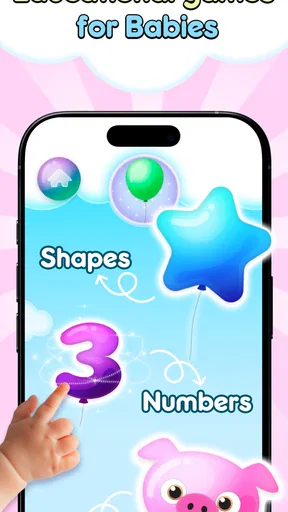
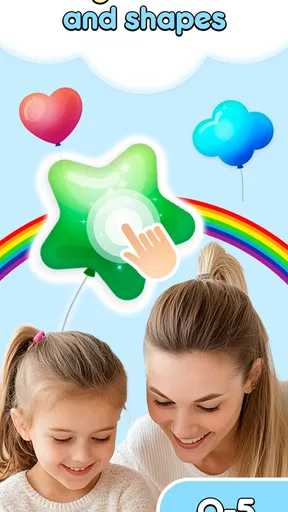
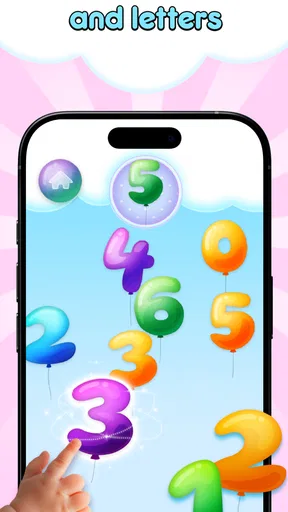
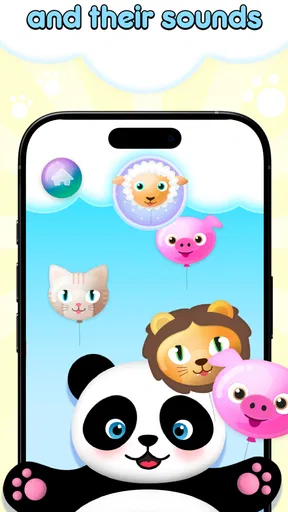
 Analysis by AppCompare
For a young child, a balloon is an inviting target: it is bright, easy to spot, and satisfying to tap. That simple interaction is the clearest reason I would consider Baby Balloons Pop for a preschooler. AppQuiz’s free educational game is built around tapping balloons and bubbles, turning a basic action into a gentle way to practise noticing colors and shapes. It is aimed at children, not at adults looking for complex gameplay, and that focus helps set sensible expectations.
I would treat it as a short play activity rather than a substitute for a book, a conversation, or hands-on toys. Its appeal is the low barrier to starting: a child can explore the screen without first learning a complicated control scheme. If you want a calm, simple digital distraction that can also prompt a little talk about what is on screen, this is the kind of game worth considering.
A simple action that invites attention
The central idea is easy to understand: find a balloon or bubble and tap it. For a very young player, that makes the first few moments less about instructions and more about practising attention and hand-eye coordination. I like this kind of setup for children who are curious about a phone or tablet but are not ready for games with multiple buttons, timed decisions, or reading-heavy directions.
The educational value is best understood as an opportunity for practice, not a guarantee of learning. A parent can ask a child to point out a color, name a shape, or count a few pops together. That turns a quick round into a small shared activity and gives the adult a chance to see whether the child is following the prompt or simply enjoying the animation. The game can provide a starting point; the conversation around it is what makes the moment more useful.
How the tapping works in everyday play
Because tapping is the main interaction, a child can usually try the game with little explanation. I would still sit nearby the first time, especially with a toddler, to see whether the targets are comfortable to reach and whether the child understands that the activity is happening on the screen. A short demonstration—tap one balloon, pause, then let the child try—can be more helpful than giving several instructions at once.
This simplicity has a practical benefit during brief gaps in the day. While waiting for an appointment or winding down after an outing, a parent can offer a short turn without setting up a larger activity. I would keep the session bounded and stay involved rather than handing over a device indefinitely. A child can enjoy the pop-and-notice rhythm, while an adult can turn it off when the wait ends or attention drifts.
It is also worth watching how a particular child responds to repeated visual and sound effects. Some children enjoy the immediate feedback and stay focused; others may tap quickly without paying attention to colors or shapes. In the second case, slowing the interaction down and naming what the child is touching can make the play more deliberate. If the child is becoming frustrated or overstimulated, ending the session is a better choice than trying to make the game hold their attention.
Worth Reading Before You Choose

EA SPORTS FC Mobile 26 Is a Bigger Football Game, but It Takes Time

Flipboard Shows What News Apps Must Do Beyond the Feed

Switching to Android Auto Means Rethinking Your Driving Routine

Google Calendar Makes a Crowded Week Easier to Manage

Ludo King Makes the Most of the Minutes Between Plans

Baby Panda World Brings Quick Play to Modern Phones, but Its Game Library Feels Busy
Where it fits among children’s games
Compared with story apps, drawing tools, or games built around puzzles, this is a more direct activity: the child does not need to follow a long plot or solve a sequence of problems to take part. That can make it approachable for a first-time player, but it also means it may not satisfy a child who wants deeper challenges or a longer project. I would choose it for a quick, accessible interaction, and choose a puzzle or creative app when the goal is sustained problem-solving or making something.
It is not a replacement for learning with real objects. A child can sort colored blocks, point to shapes in a picture book, or count toys with an adult in ways that involve touch and conversation beyond the screen. The game’s role is narrower: it offers a playful digital prompt that may help practise recognition. Keeping that distinction in mind makes it easier to decide when it is useful and when another activity is a better fit.
Who is likely to enjoy it—and who may not
I can see this working best for a preschooler who enjoys bright, simple visual activities and is beginning to notice colors or shapes. It may also suit a caregiver who wants an easy game to introduce in short, supervised sessions. A child who already expects strategic goals, varied controls, or a strong sense of progression may find the tapping routine too limited, so I would not choose it as the only game on a device.
Adults should also consider the child’s individual response to screen play. If a child tends to become upset when a device is put away, a quick balloon game may not be the right choice during a rushed transition. A book, toy, or conversation can be easier to stop naturally. For a child who can move on without difficulty, though, a clearly bounded turn can fit into a quiet moment without needing to become a long session.
What to know before installing
The game is rated for Everyone and is free to download, with optional in-app purchases listed from $0.99 to $9.49 per item. I would check the purchase settings on the device before letting a child play independently, particularly if they can access payment options. The free entry point makes it easy to try, but families should decide for themselves whether any paid extras are appropriate rather than assuming every part of the experience is included at no cost.
Baby Balloons Pop has a 4.4 average from around 48,000 ratings, and it has been installed over 10 million times. Those figures suggest that many people have tried it, but they cannot tell me whether it suits a particular child’s temperament or age. It was released on June 28, 2011, and its current version is 23.3; the minimum operating-system requirement is 7.1. Before installing, I would check that the device meets that requirement and that the child has access to an adult who can help with setup and screen-time boundaries.
Engaging Gameplay and Graphics
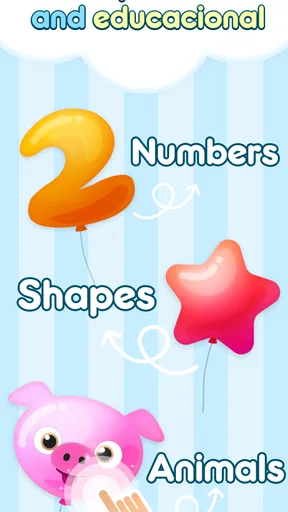
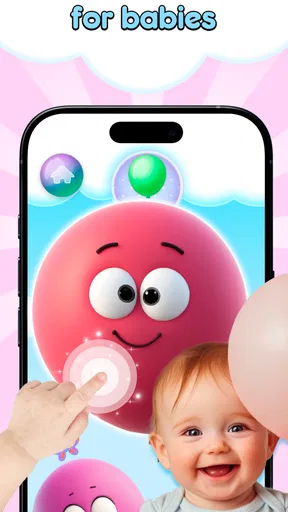
Right off the bat, the first thing that caught my eye was the vibrant color scheme. Baby Balloons Pop is all about popping balloons, and the developers have done a fantastic job in making each balloon pop as satisfying as possible. The colors are bright and inviting, which is perfect for capturing the attention of young children.
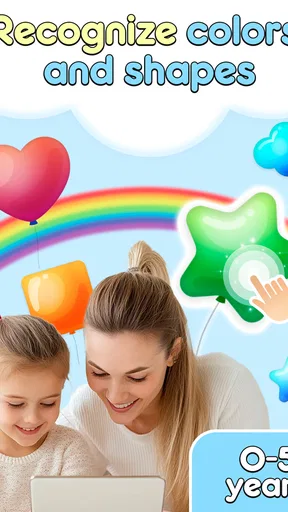
When it comes to gameplay, it’s straightforward and intuitive. Kids can simply tap the screen to pop balloons, and each pop is accompanied by fun sound effects. This simplicity is key—it means even toddlers can get the hang of it without any help. Plus, the app introduces different challenges as they progress, like popping balloons of a certain color or shape, which adds a nice layer of educational value.
Educational Elements
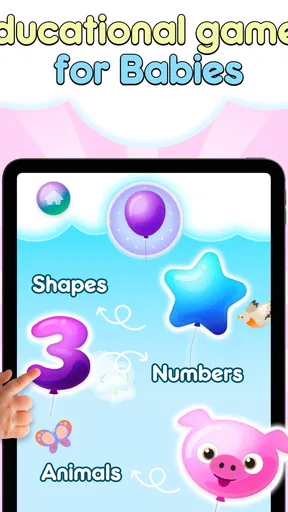
What I really appreciate about Baby Balloons Pop is its subtle educational elements. While it’s primarily a game, it sneaks in opportunities for learning. As kids pop balloons, they’re introduced to basic counting and color recognition. Occasionally, the app will prompt kids to pop a specific number of balloons or to find a particular color, which helps in reinforcing these concepts.
There’s also a storytelling aspect woven into the game, where kids can follow along with simple narratives as they play. This not only keeps them engaged but also encourages listening skills and comprehension.
Kid-Friendly Interface
The interface of Baby Balloons Pop is designed with little fingers in mind. There are no complicated menus or settings to navigate, which means kids can enjoy the app with minimal supervision. As a parent, this is a major plus because it means I’m not constantly having to reset or adjust anything for my child.
Even better, the app is free of ads, which is always a concern when handing over my phone or tablet to my child. It’s a relief to know they won’t be accidentally clicking on unwanted ads or getting distracted by pop-ups.
Parental Controls
Speaking of parental peace of mind, the app includes a few handy parental controls. You can set time limits for play, which is a lifesaver for managing screen time. The app also allows you to track your child’s progress, giving you insights into their development in terms of game achievements and learning milestones.
Audio and Music
The audio in Baby Balloons Pop is another highlight. The cheerful music and sound effects are pleasant without being overwhelming or repetitive. It’s the kind of background noise that won’t drive you up the wall while your toddler plays. The app also supports multiple languages, which is a great feature for bilingual families or those wanting to introduce a second language early on.
Final Thoughts
Overall, Baby Balloons Pop is a fantastic app for young children. Its combination of fun, simplicity, and educational value makes it a standout choice among preschooler apps. It’s perfect for those moments when you need a quick distraction or want to encourage learning through play.
In a world filled with apps, it’s refreshing to find one that balances entertainment with education so effectively. So, if you’re looking for an app that your little one will love and you’ll feel good about, give Baby Balloons Pop a try. Your kiddo’s giggles will be all the confirmation you need!
Pros
- Engaging and colorful interface.
- Simple controls perfect for toddlers.
- No in-app purchases required.
- Educational value with numeral recognition.
- Encourages fine motor skills.
Cons
- Limited content variety over time.
- No multiplayer or interactive modes.
- Requires constant adult supervision.
- Limited language options available.
- May become repetitive quickly.
FAQs for Baby Balloons pop
What is Baby Balloons Pop and what age group is it suitable for?
Baby Balloons Pop is an engaging and interactive mobile game designed for toddlers and young children. It focuses on developing fine motor skills and hand-eye coordination by allowing kids to pop colorful balloons on the screen. The app is ideal for children aged 1 to 5, providing a safe and entertaining environment for early development.
Does Baby Balloons Pop include in-app purchases or ads?
Baby Balloons Pop is designed to be a child-friendly app, meaning it typically does not include in-app purchases or intrusive ads. However, it’s always a good idea for parents to review the app settings and permissions to ensure their child’s experience remains uninterrupted and safe.
Can Baby Balloons Pop be played offline?
Yes, Baby Balloons Pop can be played offline, making it an excellent option for keeping children entertained during travel or in areas without internet access. This offline functionality ensures that the fun continues without the need for a constant Wi-Fi connection.
Is Baby Balloons Pop available on both Android and iOS devices?
Baby Balloons Pop is available on both Android and iOS platforms, ensuring wide accessibility for users. Parents can easily download the game from the Google Play Store or Apple App Store, making it convenient to install on a variety of devices such as smartphones and tablets.
What educational benefits does Baby Balloons Pop offer?
Baby Balloons Pop offers several educational benefits, including enhancing fine motor skills, improving hand-eye coordination, and teaching color recognition. The app's simple and intuitive design encourages cognitive development while providing a fun and interactive learning experience for toddlers and young children.


